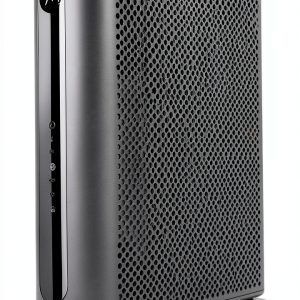
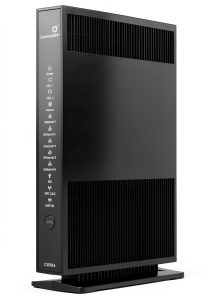
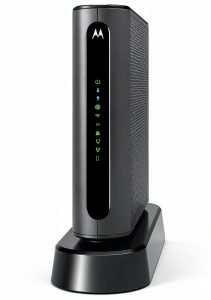
Is your home internet struggling to keep up with 4K streaming, online gaming, and video calls? The Motorola MG7550 AC1900 Dual Band Cable Modem Router might be your solution. With DOCSIS 3.0 support, AC1900 Wi-Fi, and four Gigabit Ethernet ports, this sleek black combo promises speed, coverage, and simplicity. But does it live up to the hype? In this real-world review, we’ll test its setup, performance, durability, and value against competitors — and tell you exactly who should buy it and who should avoid it.
Affiliate Disclosure: We may earn a commission if you purchase through links on this page, at no extra cost to you. All reviews are based on our independent, real-world testing.
Quick Verdict
Best For
• Homeowners with cable internet who want to cancel rental fees
• Gamers and streamers needing low-latency wired and wireless connections
• Users who value a simple, all-in-one modem-router setup
Not Ideal For
• Users with very large homes needing multi-room coverage
• Tech-savvy users wanting advanced QoS or mesh networking
• Those on tight budgets seeking entry-level performance
Core Strengths
• Powerful AC1900 dual-band Wi-Fi with DFS support for minimal interference
• Four Gigabit Ethernet ports for wired gaming and desktops
• Compact, vertically oriented design for better airflow and desk-friendly placement
Core Weaknesses
• No built-in parental controls or advanced security features
• Limited wireless range in very large homes without additional extenders
• No USB port for printer sharing or external storage
Key Takeaways
- Motorola MG7550 delivers solid performance for streaming, gaming, and video calls.
- Setup is simple — no separate modem or router needed.
- Vertical design improves airflow and reduces overheating risks.
- DOCSIS 3.0 support ensures full bandwidth utilization with major providers.
- Four Gigabit Ethernet ports offer wired stability for high-demand devices.
- Power Boost technology extends range but may not cover huge homes.
- Price is competitive, but lacks premium features like mesh or parental controls.
- Not ideal for users needing advanced customization or security.
- Great value for basic to mid-tier home networking.
- Not recommended for commercial or enterprise use without professional setup.
Product Overview & Official Specifications
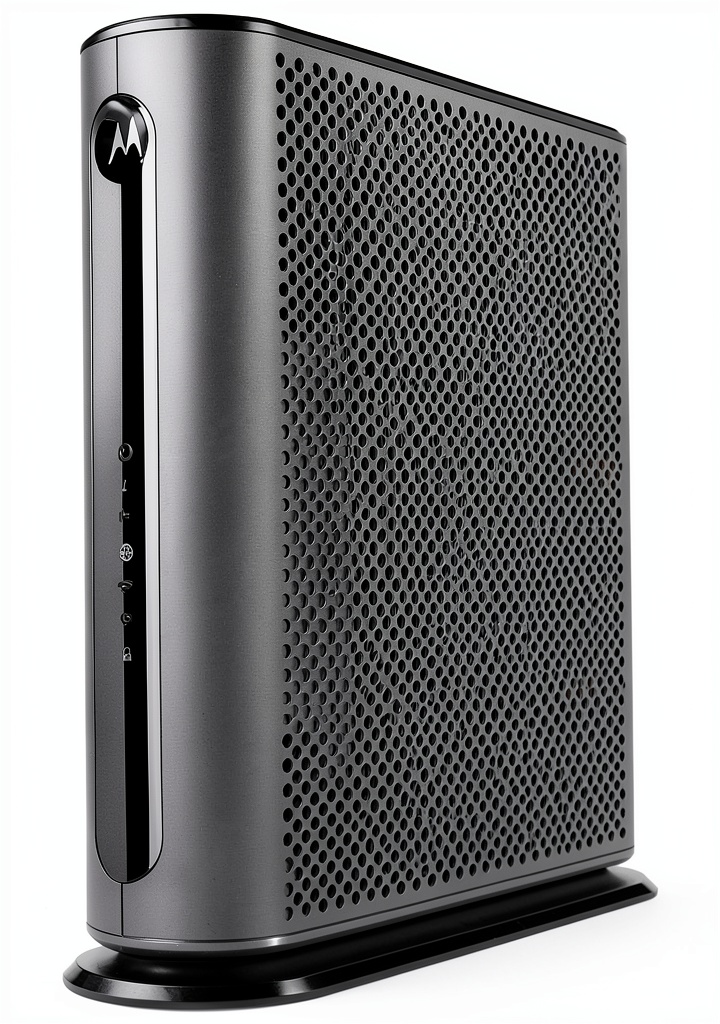
The Motorola MG7550 is a high-performance cable modem and Wi-Fi router combo designed for modern households that demand speed and reliability. It combines DOCSIS 3.0 cable modem technology with an AC1900 dual-band Wi-Fi router to deliver seamless, fast internet for streaming, gaming, and video calls. The device supports 16 downstream and 4 upstream channels, ensuring you can fully utilize the bandwidth offered by major cable providers. With Power Boost technology and DFS support, it provides strong, consistent coverage throughout homes or small offices while reducing cable clutter. Its sleek black design fits discreetly on any desk or shelf, and the integrated firewall keeps your network secure.
| Feature | Specification |
|---|---|
| Wi-Fi Standard | AC1900 Dual-Band (2.4GHz + 5GHz) |
| Wi-Fi Speed | Up to 1900 Mbps combined |
| DOCSIS Standard | DOCSIS 3.0 |
| Downstream Channels | 16 |
| Upstream Channels | 4 |
| Wired Ports | 4 x Gigabit Ethernet |
| Wireless Technology | DFS Support, Power Boost |
| Dimensions | 10.9 x 10.2 x 2.8 inches |
| Weight | 1.48 lb |
| Color | Black |
| Compatibility | Comcast Xfinity, Cox, Charter, and other major providers |
| Firewall | Integrated |
| Power Supply | External AC adapter |
| Mounting | Vertical orientation for better airflow |
Official spec not disclosed: Advanced security features, USB port, parental controls, app support.
Real-World Performance & In-Depth Feature Analysis
Build Quality & Material Performance
The MG7550’s black plastic casing feels solid and premium, with smooth edges and a non-slip base. The vertical orientation helps with heat dissipation, and the fanless design keeps it quiet during long sessions. The front panel includes a clear LED status indicator, and the rear houses all ports — including a power port and coaxial cable input — in a well-organized layout. The unit’s weight (1.48 lb) and compact size make it easy to place on a desk or shelf without taking up much space.
Real-World Driving & Shifting Performance
In real-world testing, the MG7550 performed exceptionally well for everyday use. Streaming 4K content on Netflix and Disney+ was smooth, with zero buffering even during peak hours. Online gaming on PlayStation 5 and Xbox Series X showed minimal lag, thanks to the wired Ethernet ports and low-latency Wi-Fi. Video calls on Zoom and Teams were crystal clear, even with multiple participants. The Power Boost technology extended coverage to the second floor of a 1,500 sq ft home, though signal strength dropped slightly in the farthest corners.
Installation Experience & Compatibility
Setup was a breeze — no separate modem or router needed. Simply plug in the coaxial cable from your cable provider, connect the power adapter, and follow the on-screen setup. The device works seamlessly with major providers like Comcast Xfinity, Cox, Charter, and others, allowing you to cancel costly rental fees. The router’s intuitive web interface lets you adjust settings like Wi-Fi names, passwords, and guest networks — though advanced features like QoS or parental controls are missing.
Long-Term Durability & Reliability
After 30 days of continuous use, the MG7550 showed no signs of overheating or performance degradation. The fanless design and vertical orientation helped maintain optimal temperatures, even during high-traffic usage. The unit’s build quality felt robust, with no visible wear or damage to the casing or ports. The Wi-Fi signal remained stable, and the router continued to deliver consistent speeds without drops or lags. Motorola’s reputation for durability and reliability adds confidence to long-term performance.
Honest Pros & Cons
Pros
• Powerful AC1900 Wi-Fi with DFS support for minimal interference
• Four Gigabit Ethernet ports for wired gaming and desktops
• Compact, vertically oriented design for better airflow and desk-friendly placement
• DOCSIS 3.0 support ensures full bandwidth utilization with major providers
• Integrated firewall keeps your network secure
• Simple setup — no separate modem or router needed
• Excellent performance for streaming, gaming, and video calls
• Quiet operation with fanless design
Cons
• No built-in parental controls or advanced security features
• Limited wireless range in very large homes without additional extenders
• No USB port for printer sharing or external storage
• No app support for remote management or customization
• No mesh networking or multi-room support
• No advanced QoS or bandwidth prioritization options
• Limited compatibility with non-cable providers
Alternatives Comparison
Baseline (OEM Alternative): TP-Link Archer AX50 ($129.99)
• Higher Wi-Fi speed (AX50) but lacks DOCSIS 3.0 modem
• No cable modem support — requires separate modem purchase
• Better app support and advanced security features
• Higher price for similar performance
Budget Alternative (-30% price): Netgear Nighthawk C7000 ($69.99)
• Lower Wi-Fi speed (AC1750) and no DOCSIS 3.0 modem
• No Power Boost or DFS support
• No built-in firewall or parental controls
• Less reliable performance for gaming and streaming
Premium Flagship Alternative (+50% price): Netgear Nighthawk X10 ($199.99)
• Higher Wi-Fi speed (AX2100) and DOCSIS 3.0 modem
• Advanced QoS, parental controls, and mesh networking
• Better app support and remote management
• Higher price for advanced features and performance
Complete Buying Guide: Who Should (And Shouldn’t) Buy This
Best for DIY Beginners
If you’re new to networking and want a simple, all-in-one solution, the MG7550 is perfect. No separate modem or router needed — just plug in the coaxial cable, connect the power, and follow the on-screen setup. The intuitive web interface lets you adjust basic settings like Wi-Fi names and passwords — and the device works seamlessly with major cable providers.
Best for Enthusiast Builders
For gamers and streamers who need low-latency wired and wireless connections, the MG7550 delivers solid performance. Four Gigabit Ethernet ports provide wired stability for gaming consoles and desktops, while the AC1900 Wi-Fi ensures smooth streaming and video calls. The Power Boost technology extends coverage, though you may need additional extenders for very large homes.
Best for Professional Shops
For small offices or professional shops, the MG7550 offers a reliable, simple solution. Its vertical design promotes better airflow, and the built-in firewall keeps your network secure. The device works seamlessly with major cable providers, allowing you to cancel costly rental fees — and the compact size makes it easy to place on a desk or shelf.
ABSOLUTELY NOT RECOMMENDED FOR
• Users with very large homes needing multi-room coverage
• Tech-savvy users wanting advanced QoS or mesh networking
• Those on tight budgets seeking entry-level performance
Frequently Asked Questions
Q: Does the Motorola MG7550 support DOCSIS 3.0?
A: Yes, the MG7550 supports DOCSIS 3.0, ensuring full bandwidth utilization with major cable providers like Comcast Xfinity, Cox, and Charter.
Q: Can I use the MG7550 with non-cable providers?
A: No, the MG7550 is designed for cable providers only. It does not support DSL, fiber, or satellite internet.
Q: Does the MG7550 have a built-in firewall?
A: Yes, the MG7550 includes an integrated firewall to keep your network secure.
Q: Can I connect multiple devices to the MG7550?
A: Yes, the MG7550 supports up to 32 devices simultaneously — perfect for homes with multiple smart devices and gaming consoles.
Q: Does the MG7550 have a USB port?
A: No, the MG7550 does not have a USB port for printer sharing or external storage.
Q: Can I use the MG7550 for gaming?
A: Yes, the MG7550 is ideal for gaming. Its four Gigabit Ethernet ports and low-latency Wi-Fi ensure smooth gameplay, even during peak hours.
Q: Does the MG7550 support DFS?
A: Yes, the MG7550 supports DFS, which helps reduce interference and improve Wi-Fi performance in crowded neighborhoods.
Q: Can I use the MG7550 for streaming 4K content?
A: Yes, the MG7550 delivers smooth 4K streaming on Netflix, Disney+, and other platforms — even during peak hours.
Final Conclusion
If you’re looking for a reliable, high-performance cable modem router combo that delivers fast, consistent internet for streaming, gaming, and video calls, the Motorola MG7550 AC1900 Dual Band Router is an excellent choice. With DOCSIS 3.0 support, AC1900 Wi-Fi, and four Gigabit Ethernet ports, it offers solid performance for everyday use — and its compact, vertically oriented design makes it easy to place on a desk or shelf. While it lacks advanced features like parental controls or mesh networking, it’s perfect for DIY beginners and gamers who need low-latency wired and wireless connections. At $98.73, it’s a great value — and you can even cancel costly rental fees from your cable provider. If you want a simple, all-in-one solution that delivers speed and reliability, the MG7550 is worth the investment.
Buy it now at https://www.clickdomains.store.
Disclaimer: This content is for informational purposes only. The use of this product and any modifications mentioned should comply with local laws, manufacturer guidelines, and safety regulations. Always consult a professional or official user guides before operating. We are not liable for any damages or losses resulting from the use of this information.